Elevate Your Mac’s Performance: A Deep Dive into App Tamer for macOS
Are you tired of your Mac slowing down mid-task, especially when multiple apps are running? Background processes can silently sap your CPU and battery life, leaving your system sluggish. Enter App Tamer Download for macOS, a macOS utility designed to rescue your device from resource-hogging applications.
What is App Tamer?
App Tamer for Mac is a lightweight macOS app that intelligently manages CPU and energy usage by limiting the resources allocated to background applications. Think of it as a “traffic cop” for your Mac’s processing power, ensuring critical tasks get priority while throttling less-urgent processes.
Key Features to Know
- App Prioritization Set CPU usage limits for specific apps (e.g., capping web browsers like Chrome to 25% or prioritizing creative tools like Adobe Photoshop).
- Smart Mode App Tamer’s intuitive algorithm automatically adjusts CPU allocation based on real-time system demands, balancing performance without user input.
- Energy Management extends battery life on laptops by minimizing energy-draining background tasks. Customization Options Fine-tune settings with granular controls, including process-level monitoring and scheduling rules.
- Seamless Integration Works effortlessly with macOS’s Activity Monitor for a unified performance management experience.
Why Use App Tamer?
- Improved Performance: Speed up your Mac by preventing unresponsive apps from consuming excessive CPU.
- Battery Preservation: Ideal for MacBook users who need longer uptime. System Stability: Reduce crashes caused by resource overload.
- User-Friendly Interface: Simple design for beginners, with advanced options for power users.
Pros and Cons
Pros:
- Effortless to configure, even without technical expertise.
- Proven effectiveness for users running resource-heavy apps (e.g., video editors, developers).
- Lightweight footprint—App Tamer itself uses minimal resources.
- Regular updates and macOS compatibility (tested on Sonoma, Ventura, and earlier).
Cons:
- Subtle Improvements for Light Users: If you don’t run many apps simultaneously, the benefits may be less noticeable.
- Learning Curve: Custom rules require some trial and error to optimize.
Who Should Use App Tamer?
- Power Users/Developers: Those running multiple apps (IDEs, virtual machines) or resource-intensive software.
- Content Creators: Video/editors needing stable performance.
- Battery-Conscious MacBook Users: Anyone looking to stretch battery life during mobile work.
Technical Insight
App Tamer leverages macOS’s built-in CPU throttling and resource allocation features. By adjusting processes’ “nice values” and applying I/O limits, it ensures background apps don’t monopolize your Mac’s power. Unlike brute-force methods (e.g., killing apps), App Tamer maintains balance, preventing system instability.
Final Verdict:
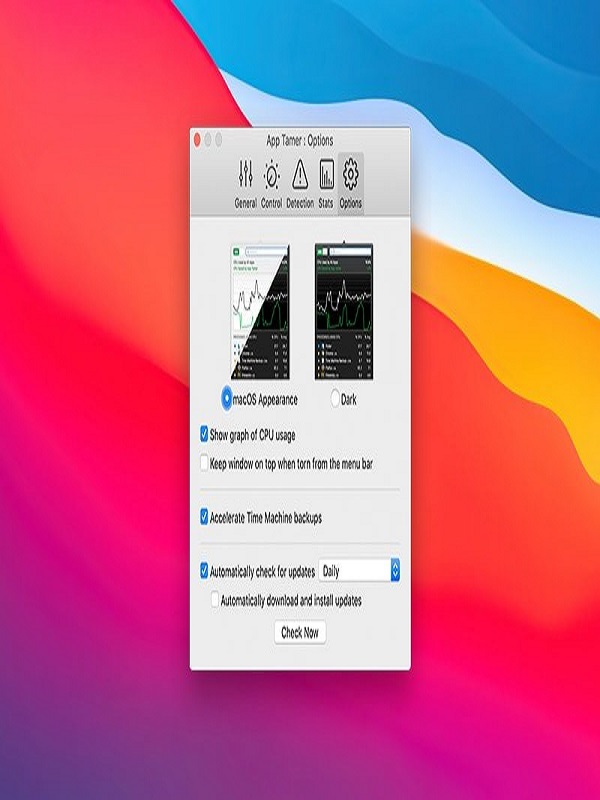
If your Mac feels bloated or your battery dies too quickly, App Tamer is a solid investment. While it may not work miracles for minimal users, it excels in managing complex workflows and extending system longevity. nts below! Header image: App Tamer interface screenshot managing Chrome’s CPU usage. Disclosure:
You can also check the latest article on Getmacos