
Ark Reader for macOS: The Only eBook Reader You Need for TXT, EPUB, and More
Reading has come a long way since the days of the printed page in today’s fast-paced digital environment. Having a solid, feature-rich reading software can make all the difference, whether you’re reading a classic novel, catching up on academic papers, or the newest self-help book. Ark Reader for macOS is a sleek, powerful, and easy-to-use eBook reader made just for Mac users who want more from their digital reading experience.
Ark Reader Mac Download is increasingly becoming the reading app of choice for students, professionals, and ardent readers alike. It can read several formats, including TXT, EPUB, PDF, MOBI, and more. Let’s really look into what makes this software so important.
Support for several formats without any problems
You no longer have to switch between separate apps to read different types of eBooks. Ark Reader works with a lot of different file types, so you should be able to open practically any eBook you find.
- EPUB is the best format for eBooks.
- TXT is light and works with all devices.
- PDF is the best format for books, manuals, and other materials.
- MOBI and AZW are great for importing books from Kindle.
- HTML and RTF are great for web content and text that has been formatted.
Ark Reader works with any eBook, whether you got it from Project Gutenberg, bought it from a digital retailer, or made it yourself.
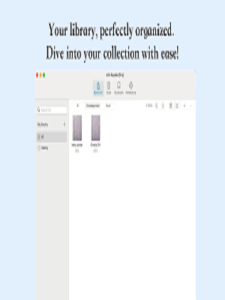
Simple, clean interface
The simple, distraction-free interface of Ark Reader fits well with the design philosophy of macOS. When you open the app, you’ll see a beautiful library display that sorts your books by title, author, or how far along you are in the book.
It’s easy and quick to switch between the book you’re reading and your library. You can change the font, theme (including a lovely night mode), and margins in the reading view. All of these things are meant to make the text easier to read and less tiring on the eyes.
Smart Reading Features
Ark Reader is more than simply a program to open files; it’s a carefully designed way to read. Some of the main aspects are:
- Bookmarks and Highlights: Use a special notes panel to mark essential parts and come back to them later.
- Search Across Library: Quickly search a term or quote in all of your eBooks.
- Sync Progress (Coming Soon): Full cloud sync is on the way, but for now, your reading progress is saved between sessions.
- Text-to-Speech (Experimental): Have your eBooks read out loud. This is great for studying or doing more than one thing at once.
Ark Reader is great for reading for fun, but it’s also great for school and work.
Put your digital library in order.
Are you tired of having eBooks all over your Downloads folder? You may easily add books to Ark Reader by dragging and dropping them, and it will automatically organize them. You can make your own collections, like “Summer Reads,” “Research Papers,” or “To-Read List,” to keep your library neat.
When metadata is available, it is automatically fetched, so your books show up with the right titles, authors, and cover art. You don’t have to modify them by hand.
Design with Privacy in Mind
Ark Reader stands out in a time where data is tracked and adverts are targeted because it respects your privacy. The software works without an internet connection, so your books, notes, and reading history stay on your Mac. No advertisements, no data mining, and no need to sign up for an account. Just reading.
Last Thoughts
Ark Reader is a sleek, stylish, and flexible eBook reader for your Mac that you should put in your Dock. Ark Reader is a gorgeous, easy-to-use tool that lets you read books, technical manuals, and PDF research papers all in one place.
You can also check our latest article on GetmacOS