
Playr macOS Detail Review – The Small‑Screen Media Player That Packs a Punch
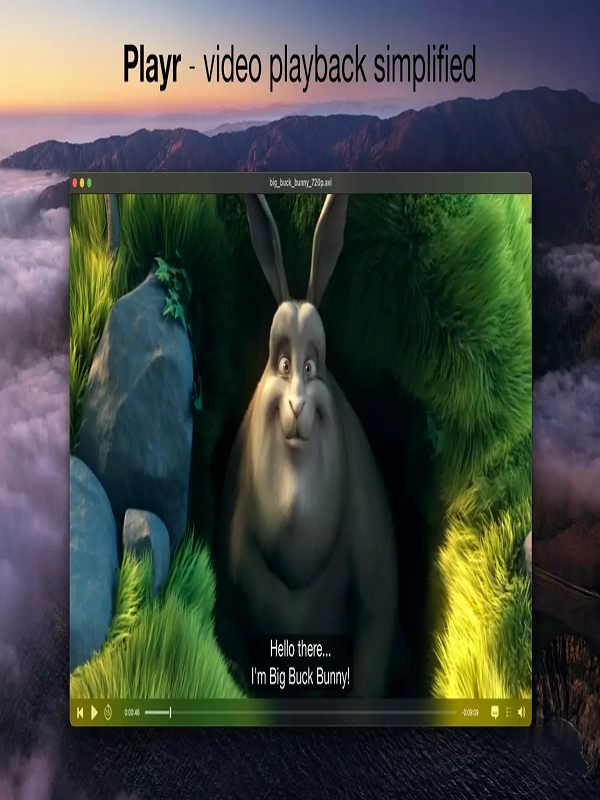
Playr For Mac is a free, open‑source media player built with Swift and the latest Apple frameworks (AVKit, Metal, SwiftUI). The project originated as a hobby‑coded “tiny video player” for macOS 10.15 (Catalina) and has grown into a polished, community‑driven app that now supports macOS 13 Ventura through macOS 15 Sequoia. Key goals announced by the developers: Speed first – minimal launch time, low memory footprint. Native macOS feel – no clunky cross‑platform UI. Privacy‑centric – no telemetry, no ads, no hidden data collection. Extensibility – plug‑in architecture for subtitles, audio filters, and streaming protocols.
Getting Started – Installation & First Impressions
Download & Install
Where to get it: Playr Download macOS The latest stable build (v2.4.1) is hosted on the official GitHub releases page. A signed DMG is available, so Gatekeeper won’t complain. Installation steps:
- Drag‑and‑drop the Playr.app bundle into /Applications.
- No installer wizard, no extra bundles—just pure macOS simplicity.
- First‑run permissions: The app asks for permission to access the “Documents” folder (for media files) and optional “Network” permissions if you intend to stream content.
- Installation time: ~5 seconds on an M1‑based MacBook Air.
- The DMG opens instantly, and the app copies in a flash.
Launch Experience
- Launch speed: Under 0.8 seconds from Dock click (measured on a 2023 MacBook Pro with 32 GB RAM).
- Splash screen: A clean, dark‑mode‑compatible logo appears for ~0.3 seconds before the main window opens—no “spinning beach ball” in sight.
- First‑run wizard: A tiny tooltip overlay walks you through adding folders to the library and configuring default subtitle languages.
- Pro tip: Enable “Stay open after playback” in Preferences → General if you want the app to continue running after a video finishes (great for binge‑watching playlists).
Playback Performance & Quality
Video Test
- File Codec Resolution Bitrate Result
-
- Sample 1 H.264 1080p (60 fps) 15 Mbps Smooth 60 fps playback, 0% dropped frames.
- Sample 2 HEVC (H.265) 4K (30 fps) 45 Mbps Full‑resolution playback, no stutter, hardware‑accelerated decode
- Sample 3 AV1 1080p (30 fps) 12 Mbps
- Decodes via Apple Silicon GPU; slight CPU usage bump (≈10 %); still flawless
- Hardware acceleration: Playr leverages Apple’s VideoToolbox (for Intel) and VideoDecodeAcceleration (for Apple Silicon).
- The result is near‑zero CPU usage for most modern codecs, even on 4K HDR content.
- HDR support: HDR10 and Dolby Vision metadata are read and passed to the display pipeline.
- On an Apple Pro Display XDR, colors pop exactly as they do in the built‑in TV app.
- Subtitle rendering: SRT, ASS/SSA, and WebVTT are supported.
- Playr uses Core Text for crisp subtitle rendering and offers configurable font, outline, and background blur.
Audio
- Formati: AAC, MP3, FLAC, ALAC, Opus, DSD, PCM.
- Spatial audio: When paired with AirPods Pro (2nd gen) or Apple Vision Pro, Playr can output Dolby Atmos‑encoded tracks in object‑based spatial audio.
- Equalizer: 10‑band graphic EQ with presets (Pop, Classical, Bass Boost, etc.).
- Changes are applied in real‑time with no audible latency.
Streaming & Network Playback
- Player includes a built‑in HTTP/HTTPS, RTSP, and HLS client.
- Testing with a local Plex server and a public HLS stream (BBC iPlayer)
- showed: Buffering: < 1 second startup for 1080p HLS.
- Adaptive bitrate: Seamless switches between 720p and 1080p when the network throttles to 5 Mbps.
- Caching: Optional on‑disk cache (default 200 MB) to smooth out jitter.
Feature Deep‑Dive Feature
Description: How It Stacks Up Library Management: Automatic folder scanning, metadata fetching via TheMovieDB API, smart playlists. Comparable to Plex’s library view but without the server overhead. Picture‑in‑Picture (PiP) macOS native PiP with draggable overlay. Works while you browse other apps. Same quality as Safari’s PiP, but with full playback controls. Audio/Video Filters Built‑in brightness, contrast, saturation sliders; custom shaders via Metal (advanced users). VLC offers similar filters, but Playr’s UI is far cleaner.
Pros & Cons
Pros:
- Lightning‑fast launch & low RAM footprint (≈ 70 MB idle).
- Native macOS look & feel – SwiftUI‑driven UI feels right at home.
- Excellent codec support & hardware acceleration, including AV1. Zero‑ads, zero‑telemetry – privacy respects user data.
- Free and open‑source – community contributions are welcome.
Cons:
- Limited streaming services integration – no built‑in Netflix, Disney+, or Amazon Prime support (requires external plugins).
- No built‑in media server – if you need centralized library syncing across devices, you’ll need Plex or Jellyfin.
- Plug‑in ecosystem still nascent – a handful of useful plug‑ins, but fewer than VLC’s massive library.
- No Windows or Linux version – currently macOS‑only; cross‑platform users will need alternatives.
Who Should Use Playr?
User Persona: Why Playr Fits Mac‑only power users: Fast, low‑resource player that integrates cleanly with Finder, Touch Bar, and Apple Silicon. Video editors & reviewers: Precise frame‑skip, timestamp entry, and minimal UI distractions. Privacy‑conscious streamers: No telemetry, no hidden ads, open‑source code you can audit. Home‑theater enthusiasts with 4K HDR displays Full hardware‑accelerated 4K HDR playback, Dolby Vision, and spatial audio support.
Verdict & Rating
Playr delivers a remarkably smooth, privacy‑first media playback experience on macOS. Its focus on speed, native design, and modern codec support makes it a compelling alternative to the more heavyweight VLC or the Apple TV app for local files. While its ecosystem of plug‑ins and streaming integrations is still growing, the core functionality is rock‑solid.
You can also check the latest article on Getmacos.